Talk.
We'll take it from here.
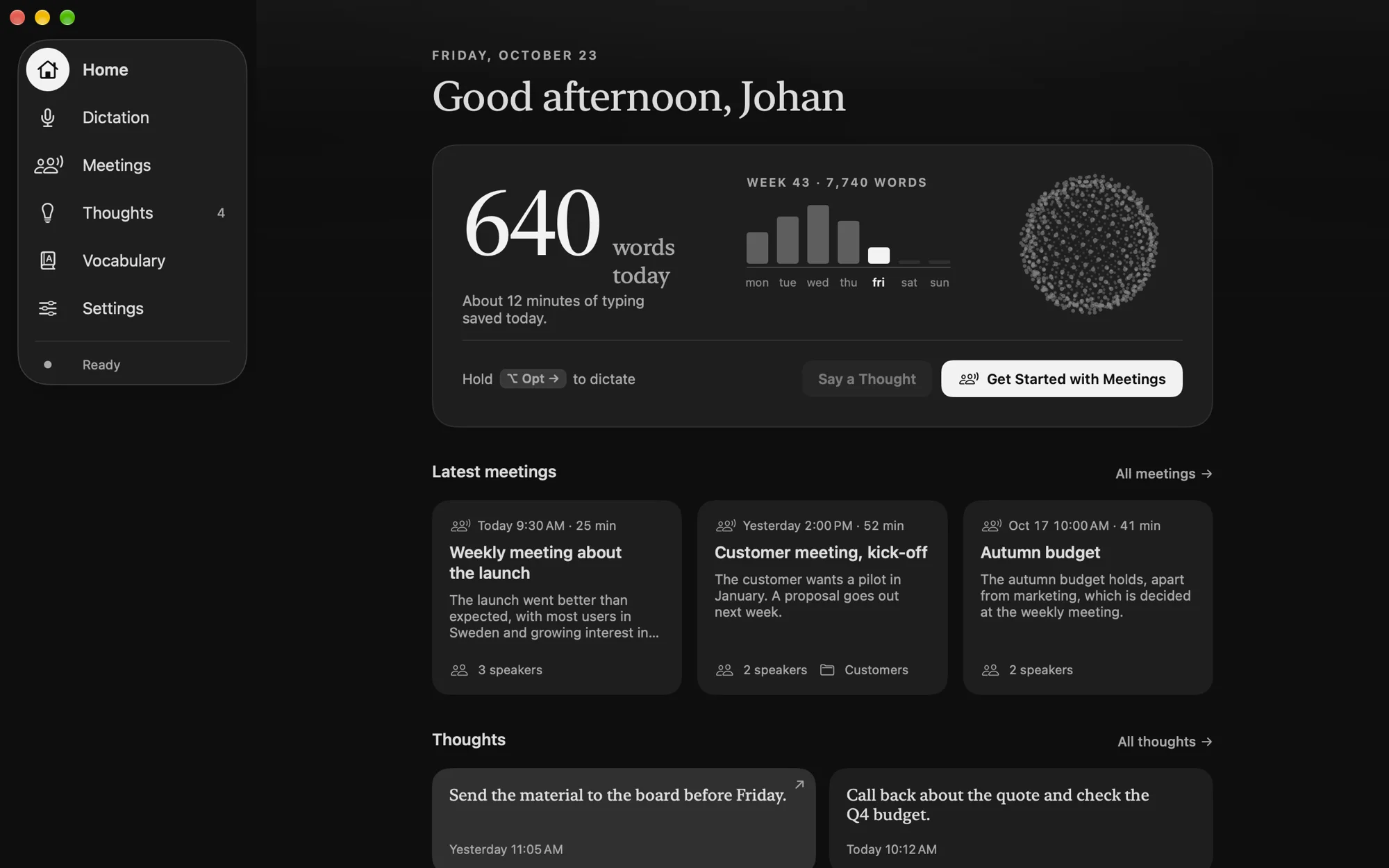
Dictate in any app, record meetings and keep your thoughts. Everything stays on your Mac.
Hold ⌥ on your keyboard, or the key in the picture, and let go.
- ≈0.3s
- from speech to text, for a five-second sentence
- 25languages
- in the multilingual model
- Allon your Mac
- no server, no cloud
- Free
- no trial and no in‑app purchases
Hold. Talk. Let go.
Double-tap the key to talk without holding it. Esc cancels without typing a thing.
- 01
Hold
Hold the right ⌥ Option key. That's all it takes to start.
- 02
Talk
The pill at the bottom shows Mindtalk is listening. Music and video pause for as long as you talk.
- 03
Let go
The text is typed where your cursor is: in the email, in Slack, in the document or in the code.
The meeting
writes itself.
In the room, the microphone hears everyone. In Teams, Zoom and Meet with headphones, Mindtalk takes in the call's sound, so the others are included too.
- 01
Start
Press start when the meeting begins. When a call starts, Mindtalk asks in a small box. Nothing is recorded until you press.
- 02
Talk
Mindtalk keeps track of who says what. If everyone agrees, it can know the voices next time.
- 03
Read
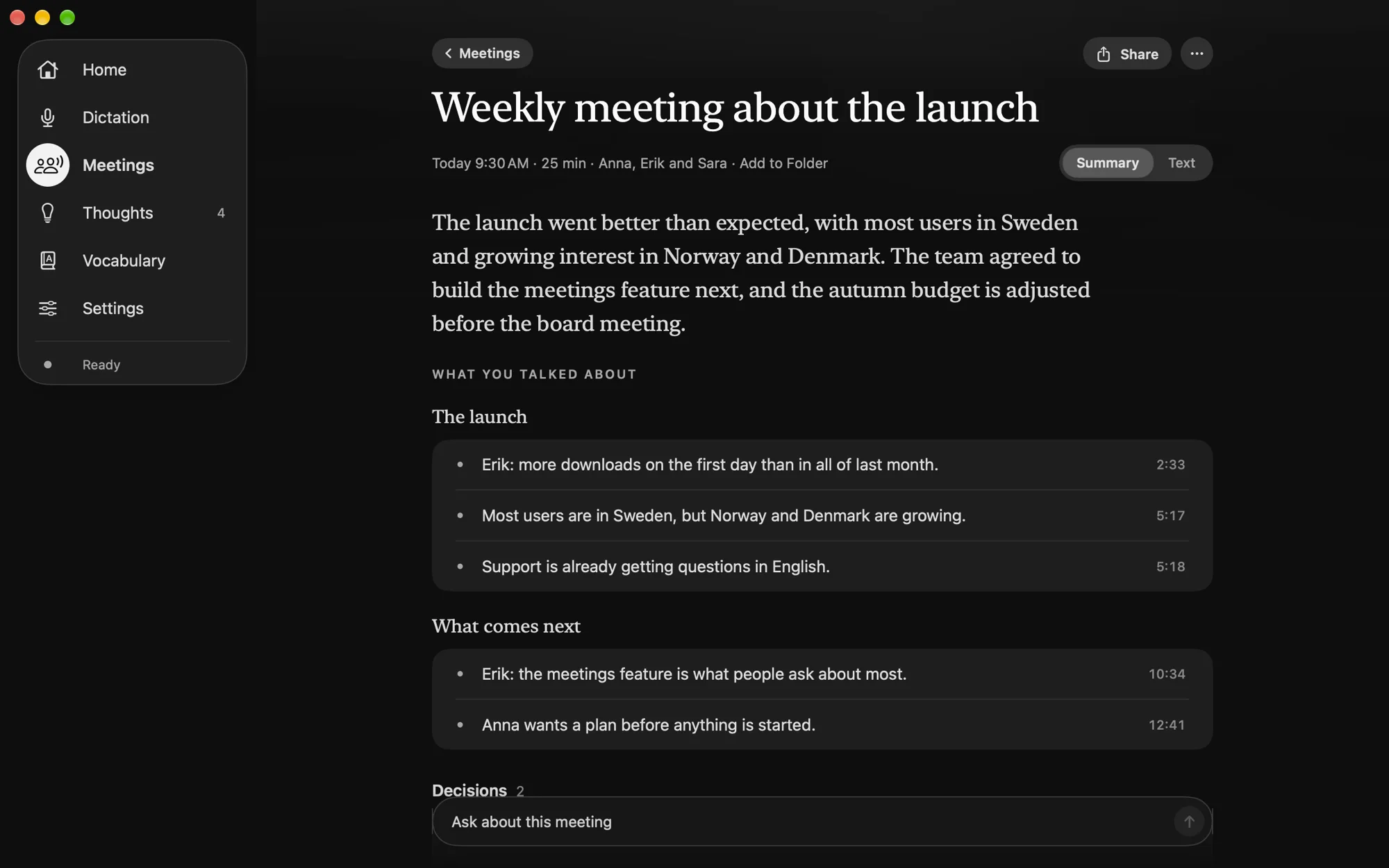
Shortly after the meeting comes the summary: what you talked about, decisions and to-dos.
- Thoughts
Say what comes to mind.
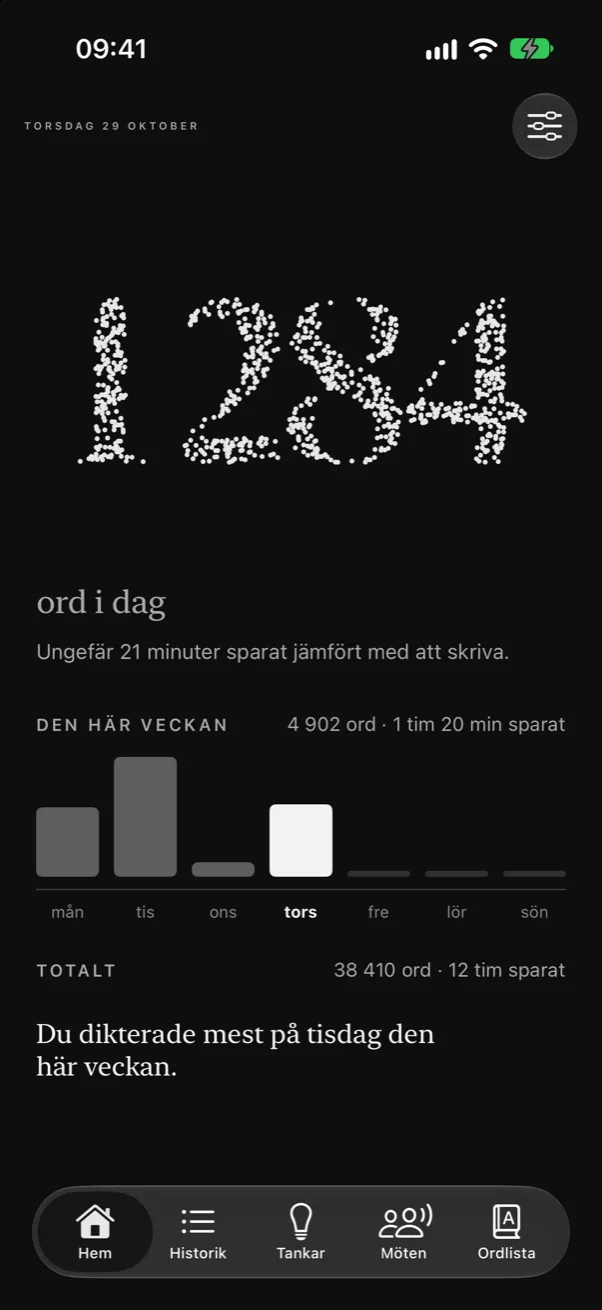
Hold left ⌥ and the thought is saved on its own page, without losing your train of thought.
- MCP
Ask Claude or ChatGPT.
Turn on MCP and they can read your meetings and answer with a link to the right second.
Swedish that
sounds Swedish.
Klang Pianissimo from Klang AI is fine-tuned for Swedish, and keeps up even when you mix in English words.
For more languages there's Parakeet Ultra, with 25 European languages. Switch with one click in the menu bar.
- SVSwedishKlang Pianissimo · Klang AI · 688 MB
- Several languagesParakeet Ultra · Moondream · 632 MB
Nothing leaves your computer
on its own.
What you say is understood and kept on your Mac. If you want to ask Claude or ChatGPT about your meetings, you turn that on yourself. Then they can read your meetings and thoughts when you ask, and you see every read in Mindtalk.
Sound goes in. Nothing comes out.
Your voice becomes text inside your computer. None of it leaves, not even to us.
Processed locally
Speech becomes text right on your Mac, with no server and no cloud.
Dictation audio is never stored
A meeting's audio is kept for as long as you like, and never anywhere else. The Mac's sound is only taken from call apps while a meeting is recorded.
No account
No sign-in, no analytics and no tracking.
Numbers, never text
Statistics count words and seconds. What you dictate into password fields isn't kept at all.
Rarely online
Only to fetch models and check for updates. Turn on MCP and Claude or ChatGPT can read your meetings when you ask them.
Signed and checked
The app is signed by Mindact and checked by Apple before it is released. Updates are signed, and every model is checked before it's used.
Open models.
Built for Apple Silicon.
Written in Swift. The models run on your Mac, on the Neural Engine and the GPU.
- 01
Microphone
- Your voice
- 02
Speech to text
- Klang Pianissimo
- Parakeet Ultra
- 03
Who is speaking
- Nemotron 3
- ReDimNet2+
- 04
Summary
- Apple Intelligence
- Gemma 4
Licences and credits
- Klang PianissimoKlang AISwedish speech recognitionCC BY 4.0
- Parakeet UltraMoondreamMultilingual speech recognitionCC BY 4.0
- Parakeet TDT 0.6B v3NVIDIABase modelCC BY 4.0
- Nemotron 3NVIDIA · FluidInferenceTells the speakers apartOpenMDW 1.1
- ReDimNet2+LAB260Recognizes voicesApache 2.0
- Gemma 4 E4BGoogleOptional summariesApache 2.0
- Gemma 4 26BGoogleFuller summariesApache 2.0
- Parakeet CTC 110MNVIDIA · FluidInferenceHears the words in your vocabularyCC BY 4.0
- FluidAudioFluidInferenceRuns the models on the Neural EngineApache 2.0
- Core ML conversionmarkstrom · FluidInferenceThe models in Apple's formatCC BY 4.0
- Foundation ModelsApplePolish with AI, summaries and answersmacOS
Is it really free?
Yes. No trial, no account and no in-app purchases.
Which Macs does it work on?
Macs with Apple Silicon, so M1 or later, and macOS 26.
What are Thoughts?
A place for whatever comes to mind in the middle of something else. Hold left ⌥ and say it, and it's saved on its own page in Mindtalk instead of being typed where you are. Good for ideas, things to remember and things to do.
Does it work in Teams, Zoom and Meet?
Yes. When a call starts, Mindtalk asks in a small box whether you want to take notes. With headphones, Mindtalk takes in the call app's sound, so the others are written down too. Only from call apps and only while the meeting is recorded, and no screen is recorded. Let everyone know the meeting is being recorded.
Can I turn a recording I already have into text?
Yes. Drop an audio or video file on Meetings and it becomes a meeting with text, speakers and a summary. It works with mp3, m4a, wav, mp4, mov and webm from the browser, for example.
Who writes the summaries, and can I use my own models?
Apple Intelligence, which is already on your Mac. For fuller summaries, Mindtalk suggests Gemma 4 from Google, downloaded once and run on your Mac. If you already run Ollama or LM Studio, your own model can write them instead.
What happens to the audio from my meetings?
It's kept on your Mac for as long as you like, and you can choose to have it removed after a while. To recognize voices, Mindtalk keeps no audio, only a voiceprint.
How do I connect Claude or ChatGPT?
Turn on MCP in Mindtalk and press Add to Claude, or follow the short steps for ChatGPT. It works in the apps for Mac.
What if the text lands in the wrong place?
Put the cursor where you want it and press ⌃⌥V, and your latest dictation is pasted again.
Who is behind Mindtalk?
Mindtalk is made by Mindact in Sweden.
This is only the beginning.
Talk.
We'll take it from here.
Up and running in a minute.
- 1Download
- 2Drag Mindtalk to Applications
- 3Follow the introduction
Mac with Apple Silicon · macOS 26 · about 1.2 GB for the models